
A camera roll can feel permanent because every photo appears whenever the phone is unlocked. But availability is not the same as backup. A lost device, a failed account recovery or an accidental deletion can turn one invisible point of failure into a very visible loss.
The calm version of photo protection has three parts: keep the phone copy, make a local copy you control and maintain another separate copy somewhere separate. Cloud storage can be one of those layers, but it should not be confused with the entire plan.
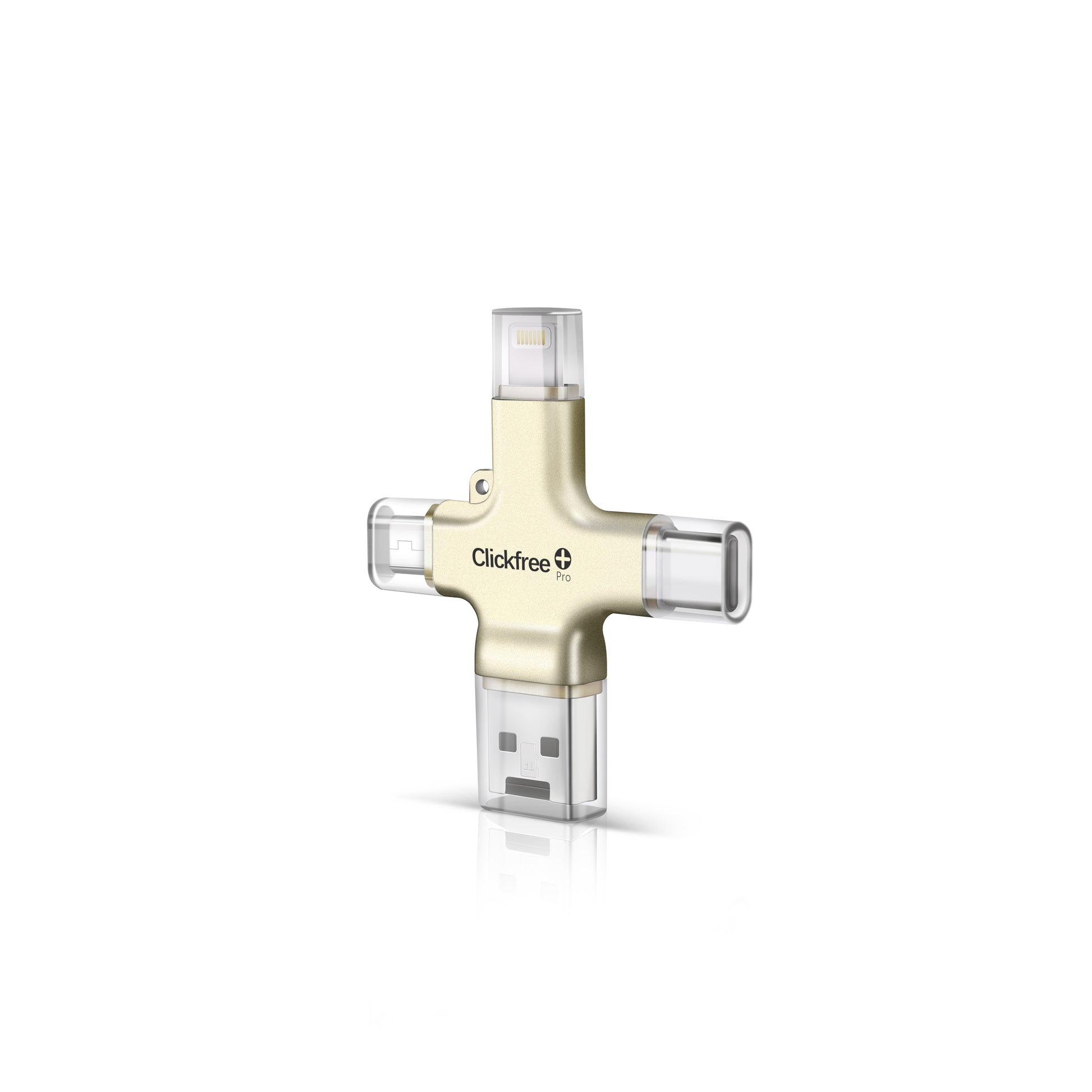
Clickfree Pro is one approachable way to create the local layer. Its built-in connectors work across common phones, tablets and computers, and the mobile workflow uses Clickfree’s companion app to copy photos and videos to the drive. There is no required monthly storage subscription. The important part is what comes next: verify the files and decide where the second backup will live.
First, decide what counts as protected
If the only copy of a photo is on the phone, it is not protected. If the phone and a cloud service are continuously synchronized, that is better, but the behavior of edits and deletions still matters. A robust plan puts important files in at least two separate places.
For most households, that means the everyday phone library plus a local drive and either a second drive stored elsewhere or a reputable cloud backup. The right combination matters less than independence: one mistake or failure should not erase every copy at once.
Make the first local copy
Connect Clickfree Pro using the appropriate built-in connector. On a phone or tablet, install and open the Clickfree app, grant only the access required for the library you want to copy and start the backup. Large libraries may take time, so keep the phone charged and leave the app enough time to complete.
The first pass is the longest because everything is new. Later backups can become a maintenance habit rather than a project. Give the drive a clear name and do not treat it like a disposable transfer stick; it now contains personal material that deserves deliberate storage.
Verify before you delete anything
A progress bar is not the same thing as a checked archive. Browse the copied folders and open a sample that includes recent photos, older photos, short videos and at least one large video. Check that dates and file formats behave as expected on the device where you would actually recover them.
Do not free phone space until that verification is complete and another copy exists. If the goal is simply protection rather than storage recovery, leave the phone library intact.
- Open files from several years and albums
- Check both photos and videos
- Confirm the copy from a computer or second compatible device
- Keep the drive safely disconnected when it is not in use
Create a second destination
A USB drive can fail, disappear or be damaged in the same event as the phone. Copy the archive to another drive kept in a different appropriate location, or use a cloud backup service whose recovery process you understand. The second location is what turns a transfer into a backup strategy.
For family archives, consider making one trusted person responsible for a second copy. That arrangement works only if both people know how updates will be handled and who can access the files.
Put the routine on a calendar
Choose a schedule that matches how quickly the camera roll changes. A frequent photographer may want a monthly reminder; a lighter user may be comfortable with quarterly backups. Tie it to something memorable,the first Sunday of the month or the end of every trip.
The best system is not the one with the most storage. It is the one that has been completed recently, checked and understood by the person who would need to restore it.
Products in this story
The useful part, product by product
Local camera-roll backup
Clickfree Pro Edition
A compact drive with Lightning, USB-C, Micro-USB and USB-A connectors for copying photos and videos across compatible phones, tablets and computers.
- No required monthly storage subscription
- Mobile backup uses the Clickfree companion app
- Should be one layer of a broader backup plan
Sources and product information
Product details were checked against the manufacturers’ published information at the time of writing.